

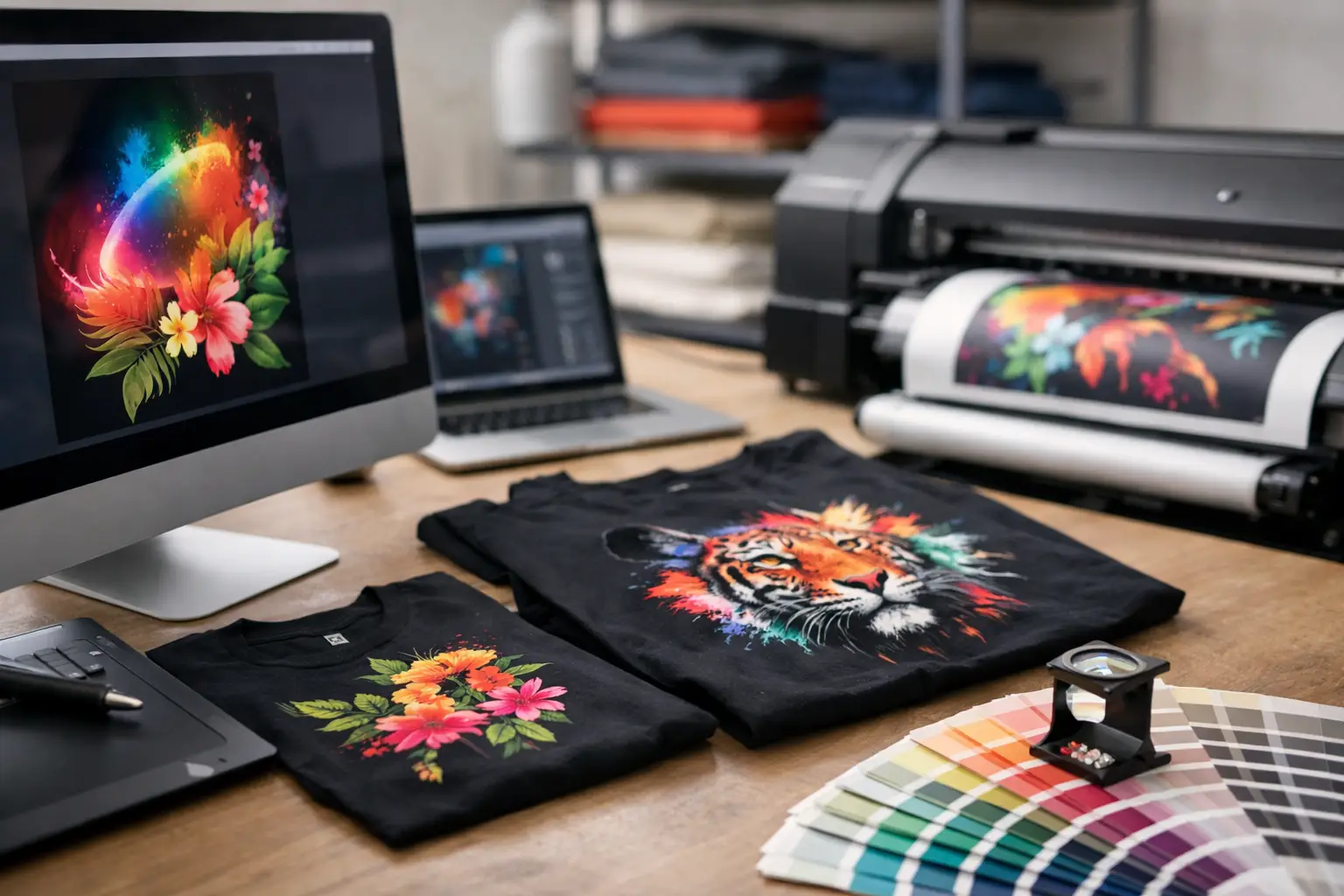
Which file for textile printing?
A t-shirt can turn out very successfully or very disappointingly even before it goes into production. In many cases, everything comes down to how the design is prepared. If you're wondering which file to send for textile printing, the right answer is not just a file format. You also need to think about resolution, colour mode, transparent background and the chosen printing technique.
For a professional, event or association need, the goal is simple: to obtain a sharp, faithful and usable result without unnecessary back-and-forth. A good file saves time, limits corrections and secures the final result. This is especially true when an order needs to be placed quickly or across several textile sizes.
Which file for textile printing depending on the design
The best file depends first and foremost on what you are printing. A simple logo, a text, a complex illustration or a photo is not prepared in the same way. That is why there is no single, universally perfect file format in every case.
For a logo, lettering or a design made of clean shapes, the vector file remains the cleanest solution. Vector PDF, AI or EPS formats allow the design to be enlarged without any loss of quality. If your branding needs to be applied to t-shirts, sweatshirts, polo shirts or tote bags, this type of file offers real peace of mind.
For a photographic image, a highly detailed visual or a bitmap illustration, you generally work with a high-definition PNG or TIFF. PNG is often favoured for textile use because it supports transparency. This is useful if you don't want a white background printed around the motif.
JPEG can work in some cases, but it is not the best choice if your design contains solid areas, precise outlines or a background that needs removing. Compression can create visible artefacts in print. For a professional result, it is better to use it only if a higher-quality source file does not exist.
Recommended formats for textile printing
In practice, the most useful formats are few in number. A high-quality PDF is often the most versatile, especially if it contains vector elements. It is easy to share and stable when opened. For logos and designs created in design software, it is often the most reassuring format.
High-resolution PNG is a good option for designs with a transparent background, particularly for digital printing on textiles. You simply need to check that the resolution is sufficient at the actual print size.
AI and EPS formats are very useful when the file is well built, with outlined text and clean elements. They are especially useful if the design comes from a graphic designer or an agency. TIFF, meanwhile, remains a safe choice for heavy and detailed images, but it is more technical to handle for a client who is not a specialist.
Conversely, screenshots, visuals taken from a website, images copied from social networks or Word and PowerPoint files often cause problems. They may look correct on screen, but become blurry, pixelated or imprecise once printed on textile.
PDF, often the safest choice
If you are unsure, a high-quality PDF is often the best starting point. It preserves the dimensions, the vectors and good compatibility. Provided the document has been exported correctly, it minimises unpleasant surprises.
PNG, useful for transparent backgrounds
PNG is particularly practical for logos or motifs without a background. It is a simple format to work with for many textile projects, especially when a visual needs to be printed on a coloured garment without a parasitic white block behind it.
Resolution, size and sharpness: the real issue
The question of which file for textile printing is not limited to the file extension. A beautiful PNG image remains unusable if it is too small. What matters is the relationship between the file's resolution and the final print size.
For a clean result, you should generally prepare a visual at 300 dpi at the actual print size. In concrete terms, if you want a print 30 cm wide, the file must be prepared for that dimension. Enlarging a small image afterwards does not recreate the missing details.
This is a frequent issue with urgent orders. The logo sent looks sharp on a computer screen, but it was downloaded in a small size from a website. On textile, outlines become soft, fine text loses legibility and gradients may not reproduce well.
If your design contains small characters, thin lines or subtle contrasts, be even more vigilant. Some printing techniques handle detail better than others. The file should therefore be prepared according to the expected result, not just the raw visual.
Colours: what you see on screen is not always what gets printed
Another decisive point is colour. Many files are created in RGB because they were first designed for the web. Textile printing, however, works with a different logic. Depending on the technique used and the colour of the garment, the final result may vary.
A very vivid red displayed on screen will not necessarily have the same impact once printed on a black, white or heather grey t-shirt. Light colours, pastel tones and certain gradients require more attention. The contrast with the textile matters just as much as the file itself.
When a brand style guide must be respected, it is better to supply a clean file with consistent colours and to avoid approximations. If your design needs to be reproduced across several items, consistency of the result becomes a commercial issue, not just an aesthetic one.
Does it need a transparent background? Very often, yes
For textile printing, a transparent background is often preferable. It allows you to print only the useful visual and avoids a rectangular block around the motif. This is especially true on coloured garments.
A black logo on a white background saved as a JPEG may look correct. However, if the background has not been removed, the white may appear in print depending on the technique used and the preparation of the file. With a transparent PNG or a properly prepared PDF, this risk is greatly reduced.
There are still some exceptions. If your design deliberately includes a coloured background, a full-bleed visual poster or a bold graphic block, then the background is part of the design. In that case, it simply needs to be a deliberate choice rather than an imposed one.
Adapting the file to the printing technique
The right file also depends on the process chosen. In textile printing, a visual isn't always prepared in the same way depending on whether it is a digital marking, a transfer or another printing method. As Geekmonkey specialises in textile printing rather than embroidery, the logic remains focused on the quality of the printed visual.
For a simple logo in one or two colours, a clean vector file makes the work easier and often gives a very sharp result. For an image rich in detail or gradients, a high-definition bitmap file will be more suitable. If the textile is dark, you should also anticipate how the colours will come across.
The most effective approach is to think in terms of real use. Is the visual intended for a quick event series, brand merchandise, team clothing or a high-volume promotional campaign? The more recurring or widely distributed the project, the more worthwhile it is to secure the quality of the source file.
Mistakes that slow down an order
The most common problems are fairly simple: image too small, background not removed, text not converted to outlines, compressed file, inconsistent colours or approximate export. These are not necessarily serious errors, but they create extra back-and-forth and can delay approval.
It is also best to avoid sending several contradictory versions without clear instructions. A folder named "logo-final", then "logo-final-new", then "logo-final-ok-v2" saves nobody any time. For a professional order, it is better to send one approved version, clearly named, with the correct dimensions if they are known.
If you are working for a trade show, a school, an association or an SME, this point matters even more. Deadlines are often tight, contacts are numerous, and the textiles must be ready by a specific date. A clean file also means a smoother order.
Which file to send for a fast and reliable result
If you want the most practical answer, remember this: a high-quality vector PDF is often the best choice for a logo or graphic visual. A high-definition PNG with a transparent background is very suitable for many textile projects, especially with digital printing. In both cases, the actual print size and the quality of the file matter just as much as the format itself.
If you are not sure about your file, it is better to check before launch than to correct after production. That is often where the difference lies between a textile that is simply personalised and one that looks truly professional.
Share this post
Author





Leave a Reply